2025/6/12大约 1 分钟
QBrush(画刷)
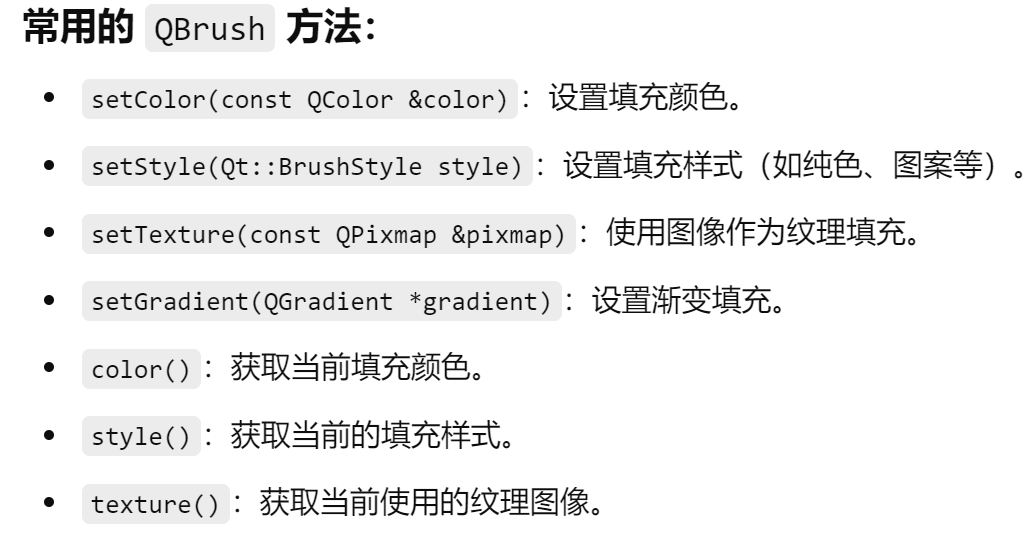
画刷,用来填充封闭图形,以及定义填充的颜色、样式和属性;
QBrush 的主要功能:
- 纯色填充:使用一种单一颜色来填充图形项的内部。
- 渐变填充:使用渐变色(如线性渐变、径向渐变)填充图形项。
- 纹理填充:使用一张图像来填充图形项。
- 图案填充:使用内置的图案(如网格、斜线等)来填充图形项。
典型用途:
QBrush 通常用于和 QPainter、QGraphicsItem 等一起使用,来设置形状的内部填充。QBrush 和 QPen 一起被用于图形项的绘制,其中 QPen 定义边框,QBrush 定义填充。
#include <QApplication>
#include <QGraphicsScene>
#include <QGraphicsView>
#include <QGraphicsRectItem>
#include <QLinearGradient>
#include <QBrush>

int main(int argc, char *argv[]) {
    QApplication app(argc, argv);

    QGraphicsScene scene;

    // 创建一个矩形,并使用纯色填充
    QGraphicsRectItem *rect = new QGraphicsRectItem(0, 0, 100, 100);
    QBrush solidBrush(Qt::yellow);  // 创建一个黄色的填充
    rect->setBrush(solidBrush);     // 设置矩形的填充
    scene.addItem(rect);

    // 创建一个椭圆,并使用渐变填充
    QGraphicsEllipseItem *ellipse = new QGraphicsEllipseItem(150, 0, 100, 50);
    QLinearGradient gradient(150, 0, 250, 50);
    gradient.setColorAt(0, Qt::blue);
    gradient.setColorAt(1, Qt::green);
    QBrush gradientBrush(gradient);  // 创建一个渐变填充
    ellipse->setBrush(gradientBrush);  // 设置椭圆的填充
    scene.addItem(ellipse);

    // 创建一个矩形,并使用图片纹理填充
    QGraphicsRectItem *rectWithTexture = new QGraphicsRectItem(0, 150, 100, 100);
    QBrush textureBrush(QPixmap(":/images/texture.png"));  // 使用图片作为纹理
    rectWithTexture->setBrush(textureBrush);               // 设置矩形的填充
    scene.addItem(rectWithTexture);

    // 创建视图并显示场景
    QGraphicsView view(&scene);
    view.show();

    return app.exec();

}